Look Up Tables (LUTs)
LUTs store sampled color transformations. They can carry technical color-space conversions or creative scene-to-display rendering instructions.
The colorist or image-pipeline lead selects, tests, versions, and distributes the project's LUTs and transforms. Vendors use only the approved files and placement in the transform chain.
LUTs vs. Transforms
A transform defines a color operation mathematically, much like a graphics shader. The math is reproducible and can be inspected, scrutinized, and deconstructed. A LUT stores sampled input and output values from an operation. It is baked: it shows what each sampled input becomes, but not why.
A transform is the operation expressed as math: a matrix, a curve or formula, or a chain of them. The application evaluates that math directly for every pixel instead of interpolating a fixed grid. An ACES Output Transform, an OCIO config's color-space conversions, a DCTL or CTL program, and DaVinci Resolve or Baselight's native color-management nodes are all transforms. Transforms can be resolution-independent and invertible wherever the underlying math allows.
A LUT stores input and output values on a fixed grid and interpolates between them. It is fast, portable, and self-contained, but only approximates the source operation. Once baked, it reveals the mapping but not the equations or decisions that created it. Precision depends on the grid, input encoding, interpolation, and treatment of out-of-range values.
If the application supports a live transform, use it. If another device or vendor cannot run the transform, use a LUT. The Show LUT provides a common viewing result across those systems.
Creative Transformations
Creative transforms may use S-shaped curves, tone mapping, gamut shaping, or other operations to render a scene-referred image for display. Camera monitoring in Rec.709 already applies such a scene-to-display transform.
A LUT can carry a film-print emulation or another creative look between compatible software and hardware.
A scene-to-display transform is the forward function. A display-to-scene transform is its inverse. An inverse cannot recover clipped values or distinguish inputs that the forward transform mapped to the same output.
Inverses are commonly used for converting display-referred graphics so they appear as intended when viewed under a global Show LUT, or to convert a display-referred image to log for film-out.
The Show LUT
A Show LUT is the production's approved viewing recipe. The same look drives on-set monitoring, editorial, VFX review, and finishing. A Show LUT often combines a creative transform with display rendering in one scene-to-display LUT. Another pipeline may keep those functions separate. Document what the Show LUT contains and where each function occurs. See Translate the Color-Management Terms.
Grades occur before a combined Show LUT. Choose or design the look with the cinematographer and colorist during pre-production. It may include tone mapping, gamut shaping, and film-print emulation.
A Show LUT targets a specific display and color space. Build separate viewing versions for Rec.709, DCI-P3, Rec.2020, and any other approved target.
Test and distribute the Show LUT before photography
The colorist and cinematographer approve the creative rendering. The image-pipeline lead builds each required display version, tests it in every viewing application and device, and distributes only the approved files.
Examples of common creative transformations:
- ARRI LogC to Rec.709 (K1S1)
- SLog3SGamut3.CineToLC-709TypeA
- REDlogFilm to REDgamma4
Technical Transformations
Technical transforms convert between defined encodings without establishing the creative rendering. They follow published equations or documented color science.
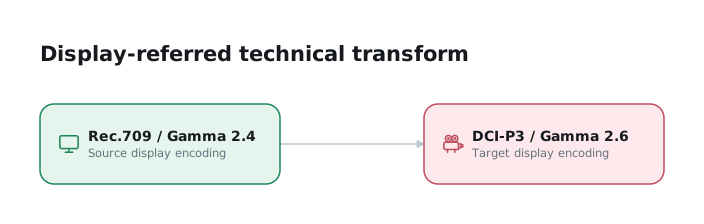
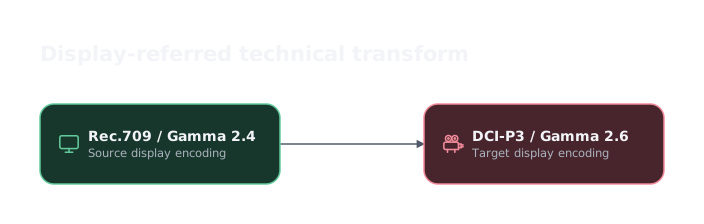
Display-referred technical transforms convert between display standards, such as digital cinema and home video.
A display-referred technical transform can convert home video to digital cinema:
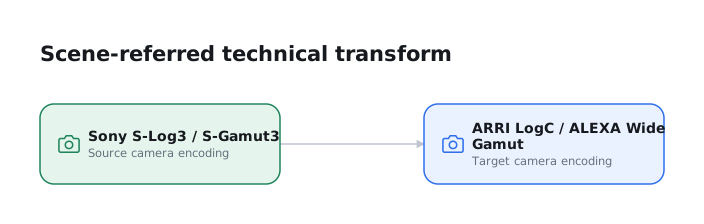
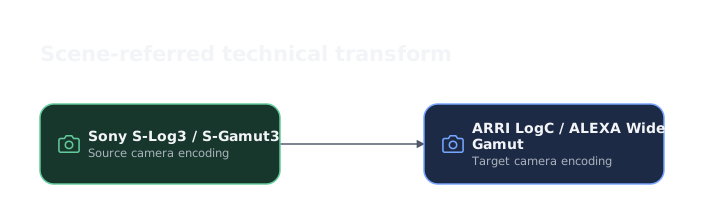
Scene-referred transforms can convert camera log to scene-linear for compositing and back again without losing colorimetric data. They can also map one camera's log encoding and gamut into another.
A scene-referred technical transform can map one camera's log encoding and gamut to another:
Apply one tested normalization path
The image-pipeline lead defines how each camera maps into the shared working space. Apply the same transforms to VFX pulls and the corresponding DI media.
ACES and application-native color management usually apply this normalization under the hood after each source camera color space is assigned correctly.
When Camera RAW intercuts with scene-linear OpenEXR, map both into the same grading space. Then grades can move between VFX and camera-original shots without an encoding mismatch.
Types of LUT: 1D, 3D, and shaper
1D LUTs map each channel independently: one input value to one output value, per channel. They are ideal for anything that acts on a single axis: transfer-function and gamma changes, exposure and contrast curves, log-to-linear conversions. What a 1D LUT cannot do is change one channel based on another, so it cannot remap a gamut or carry a cross-channel creative look.
3D LUTs sample the full RGB cube: a grid of input RGB triplets mapped to output RGB triplets. They can mix channels and carry gamut conversions or complete creative looks. A Show LUT is a 3D LUT. The cube commonly contains 17³, 33³, 64³ or 65³ points, and everything between grid points is interpolated (tetrahedral interpolation is more accurate than trilinear along the diagonals a color transform stresses). A larger cube is more accurate but bigger and slower.
Seventeen-point cubes are common in on-set hardware and 33-point or larger cubes in post, but test the actual transform. A smooth transform may fit a 17³ cube. A hard tonal break or saturated gamut clip may need more points.
Shaper LUTs (pre-LUTs). A 3D LUT samples its input on an evenly spaced grid. Log or scene-linear data can place too few samples in the visible range and produce banding. A 1D shaper LUT redistributes the input before the 3D LUT. Some exchange formats bundle both tables.
Formats and precision. Common formats include .cube (Resolve/Adobe), .3dl
(Autodesk/Lustre), and .csp (cineSpace, which carries a shaper). No format has universal support,
so test it in every target application. The Academy/ASC Common LUT Format (CLF, .clf) is an XML
standard that chains 1D and 3D LUTs with parametric
operators with defined bit depth and range, and is the interchange format used by ACES. Whatever the
format, a LUT is only valid for the input encoding and range it was built for. Apply a Rec.709
LUT to log material, or push values outside its domain, and it will clamp or misbehave.
LUT Tools
Grading systems generate LUTs in vendor-specific formats that are not universally compatible. Distribute the Show LUT in a format supported by every application and monitoring device.
Lattice and ColourSpace convert LUT formats and perform precise color-space transformations.
DCTL Studio is an interactive DCTL composer for building
color-space transformations and interactive grading tools for DaVinci Resolve. It can also export
.cube LUTs. A DCTL can contain a 3D cube, allowing one DCTL to combine a scene-linear-to-log
shaper with a log-to-display transform.