Common Working and Delivery Resolutions
A single project may combine camera rasters, aspect-ratio guides, working resolutions, and delivery containers. The cinematographer documents acquisition rasters and framing. Editorial and the DI document working and delivery rasters. They use exact pixel dimensions instead of “2K” or “4K” alone.
Camera Original Media
Cameras record many native, cropped, and downscaled rasters. There is no universal acquisition resolution or aspect ratio. Record the exact raster, sensor mode, pixel aspect ratio, and framing guide for every camera.
Delivery Formats for Video
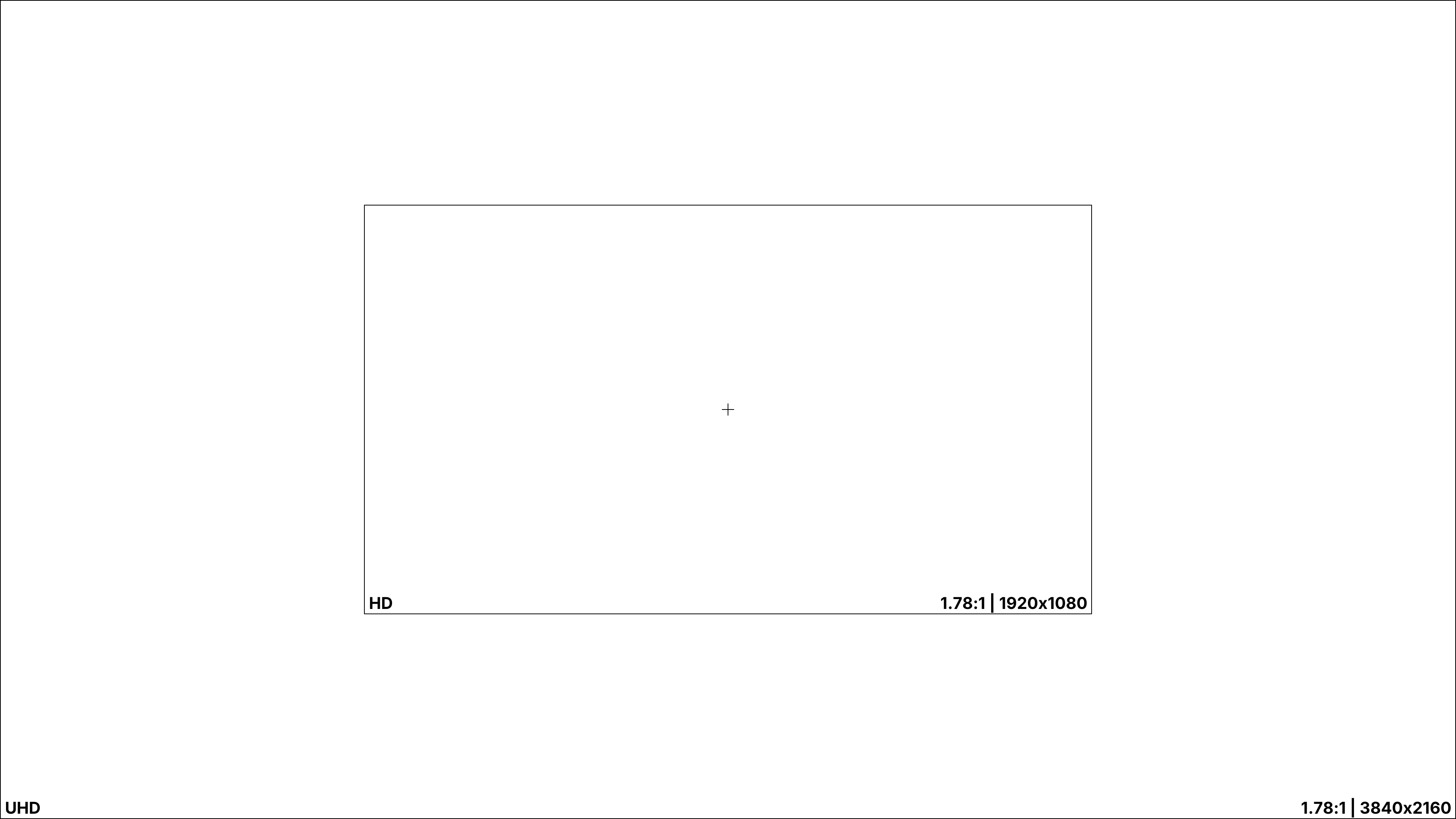
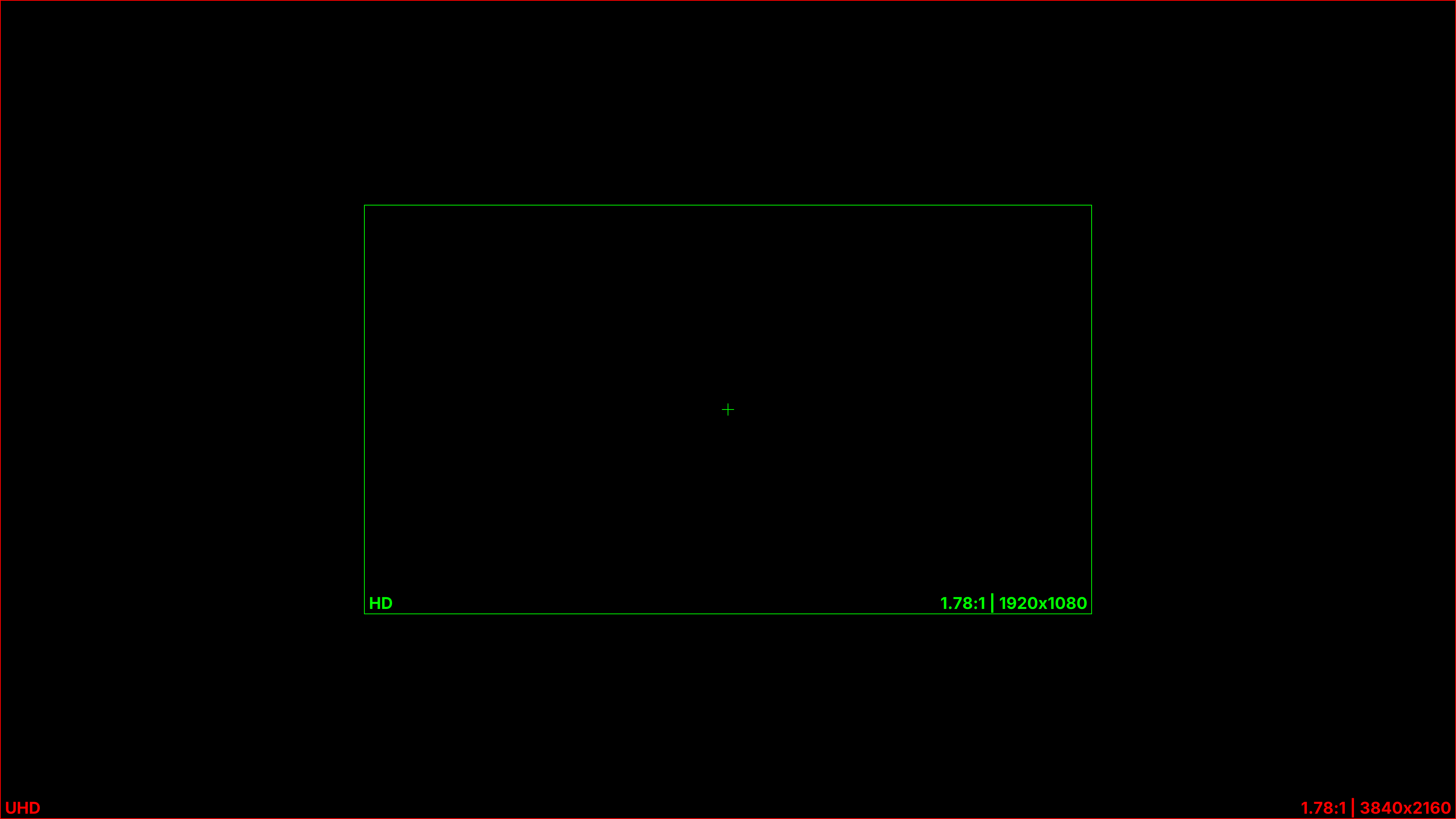
High-Definition
1080p (1920x1080) is the minimum high-definition master for a feature. Do not master a feature at 720p. If a broadcaster requires 720p, its distribution team can derive that version from the higher-resolution master. The filmmakers do not need to produce it.
1080p HD is 1.78:1 (16:9). Letterbox wider compositions inside it, commonly 2.39:1 (Scope) or 2.00:1.
Ultra-High-Definition
UHD is 3840x2160, four times the pixel count of 1920x1080. Manufacturers often call it "4K UHD," though digital cinema (DCI) 4K is 4096 pixels wide. Major streaming originals commonly require UHD-class acquisition. For example, Netflix requires approved cameras for 90% of the final running time and a sensor at least 3840 photosites wide for spherical capture.4
For video masters, center the approved active image inside the 1.78 container. These even-numbered rasters preserve the intended ratio without fractional lines:1
| Intended ratio | UHD active image | HD active image |
|---|---|---|
| 1.85 | 3840x2076 | 1920x1038 |
| 2.39 Scope | 3840x1608 | 1920x804 |
Treat the intended delivery raster as the acquisition minimum. Additional source resolution can retain more detail for VFX and leave room for reframing and stabilization. It does not guarantee a better image, but it preserves options that disappear when capture starts at the delivery raster.
Current maximums from major cinema camera families include:5
| Camera | Maximum full-sensor recording raster |
|---|---|
| ARRI ALEXA 35 Xtreme | 4608x3164 |
| ARRI ALEXA 265 | 6560x3100 |
| Sony VENICE 2 8.6K | 8640x5760 |
| RED V-RAPTOR [X] 8K VV | 8192x4320 |
| Canon EOS C400 | 6000x3164 |
| Blackmagic Design URSA Cine 12K LF | 12288x8040 |
| Blackmagic Design URSA Cine 17K 65 | 17520x8040 |
Use lower-resolution cameras only when the shot requires their size, placement, cost, or visual character. Examples include insert photography, crash cameras, action cameras, and security cameras. A news-video look depends more on lens field of view and the resulting depth of field than recording resolution. Do not lower the acquisition resolution to create that look.
Mixed frame rates do not create a television look
Do not shoot a news insert at 29.97 fps only to make it look like television when the film runs at 23.976 or 24.00 fps. The film's timeline cannot reproduce 29.97 fps motion smoothly. Frames must be dropped, blended, or synthesized, which can make motion look jumpy or introduce optical flow artifacts. Shoot the insert at the film's frame rate and create the news look through lens, lighting, composition, camera movement, and image treatment.
8K UHD (7680x4320) remains a niche distribution format. As of 2026, NHK continues to operate BS8K. Netflix and Disney+ identify 4K as their highest published streaming resolution. This handbook found no major streaming platform advertising 8K delivery.6
Delivery Resolutions for Digital Cinema
Digital cinema distribution in theaters follows the Digital Cinema Initiatives' guidelines and specifications for content preparation and delivery.
The DCI 2K image container is a 2048x1080 (1.90:1) signal raster. It accommodates both Flat (1.85:1) and Scope (2.39:1) films.
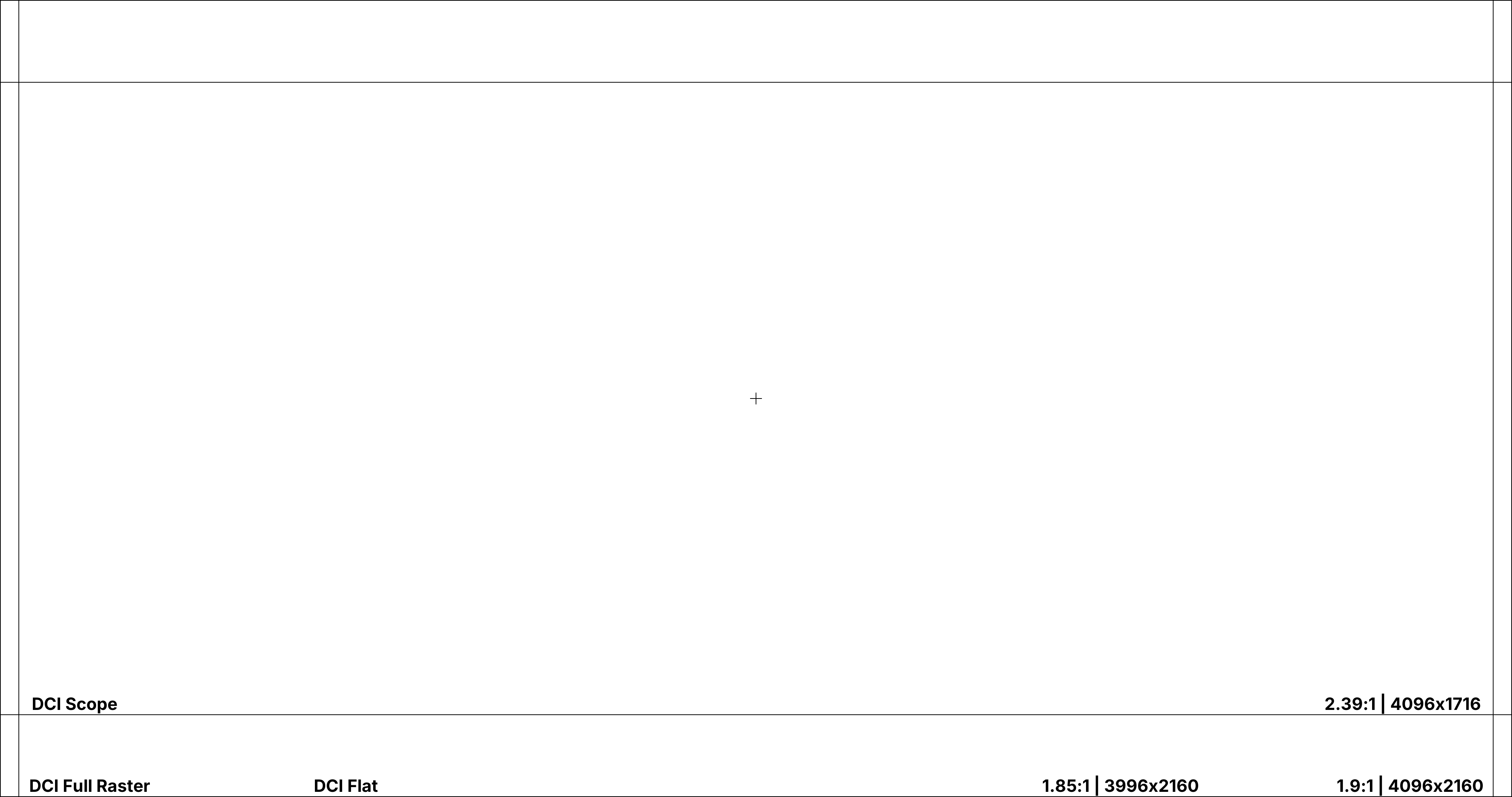
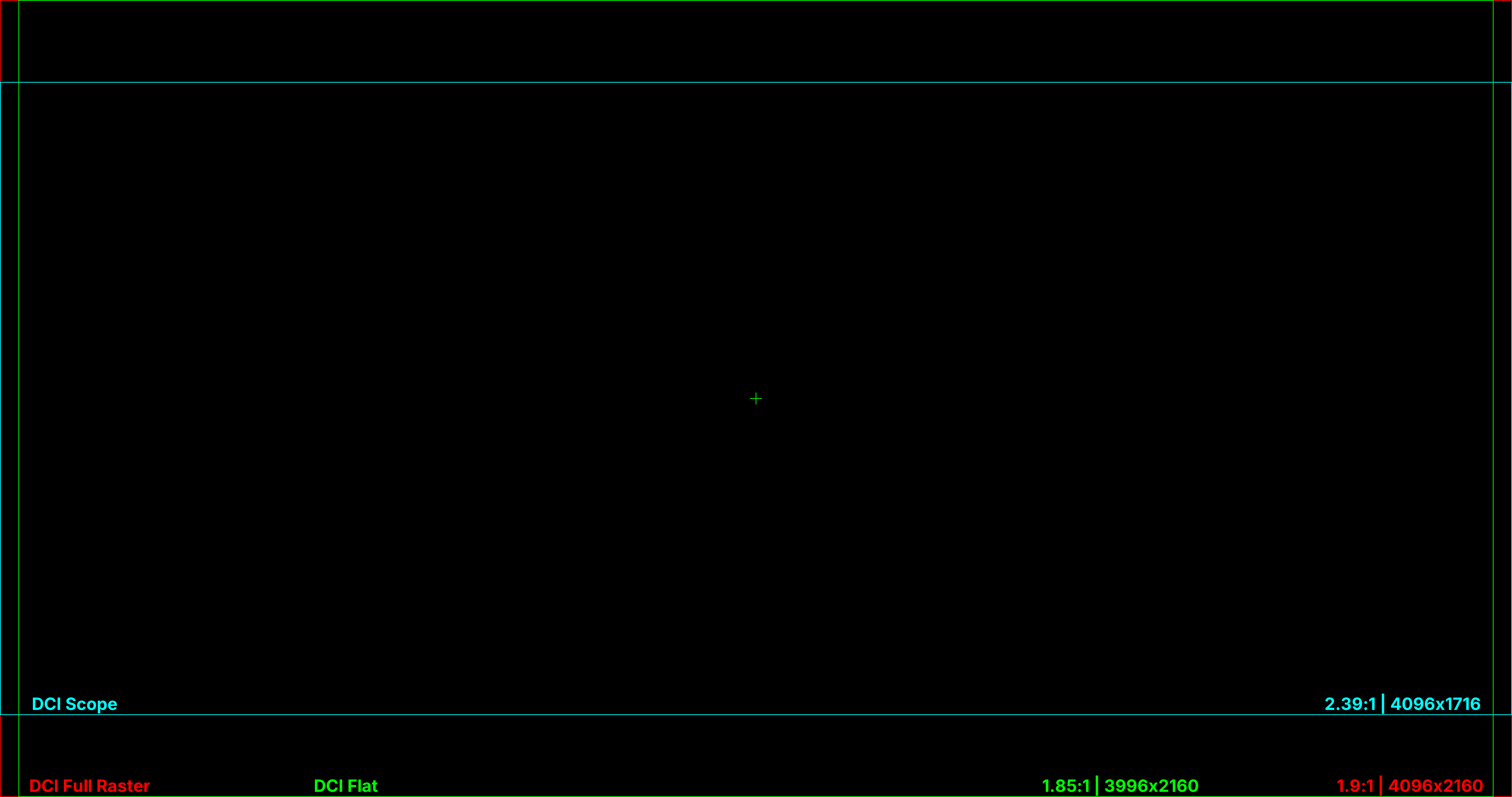
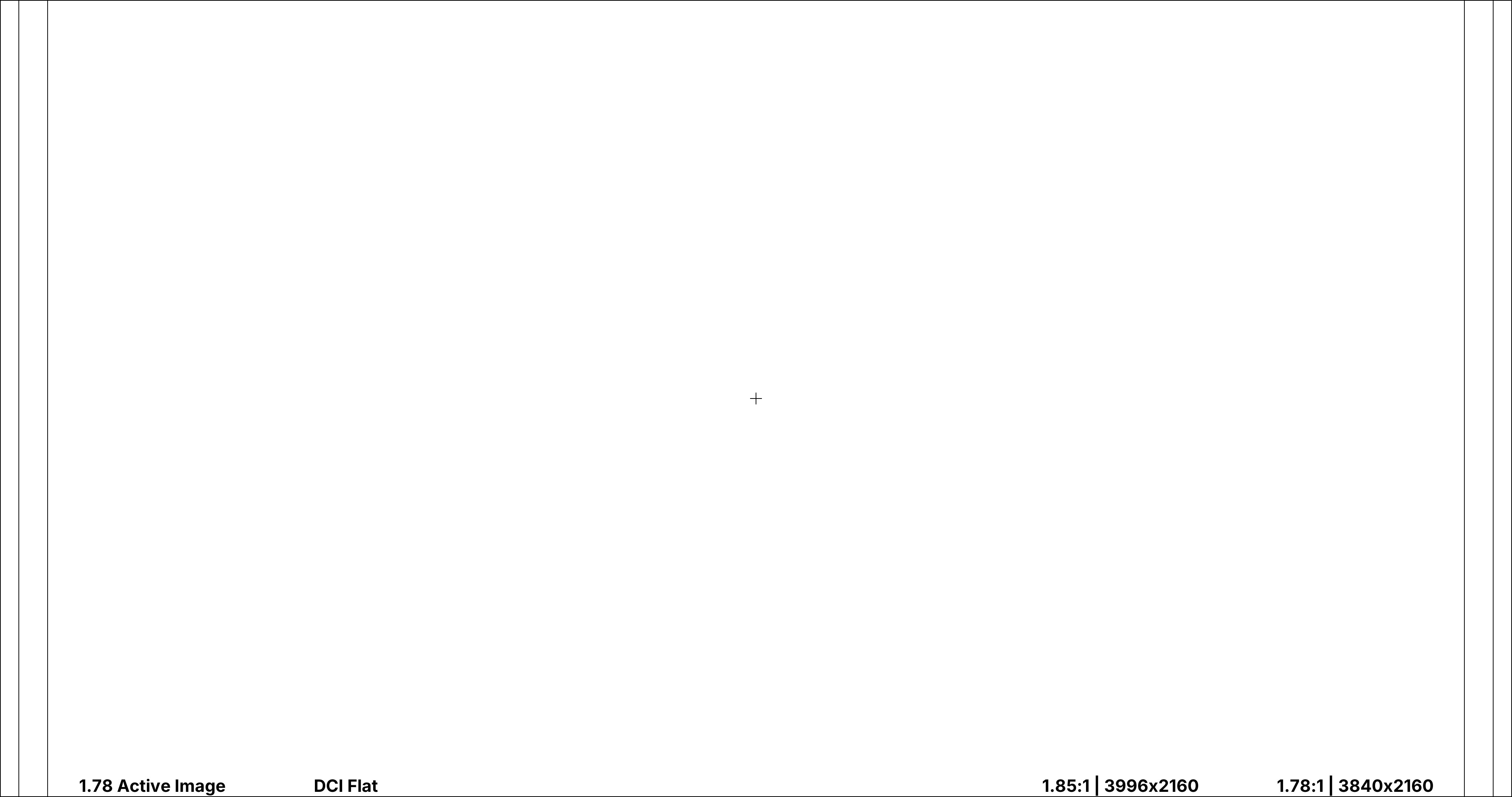
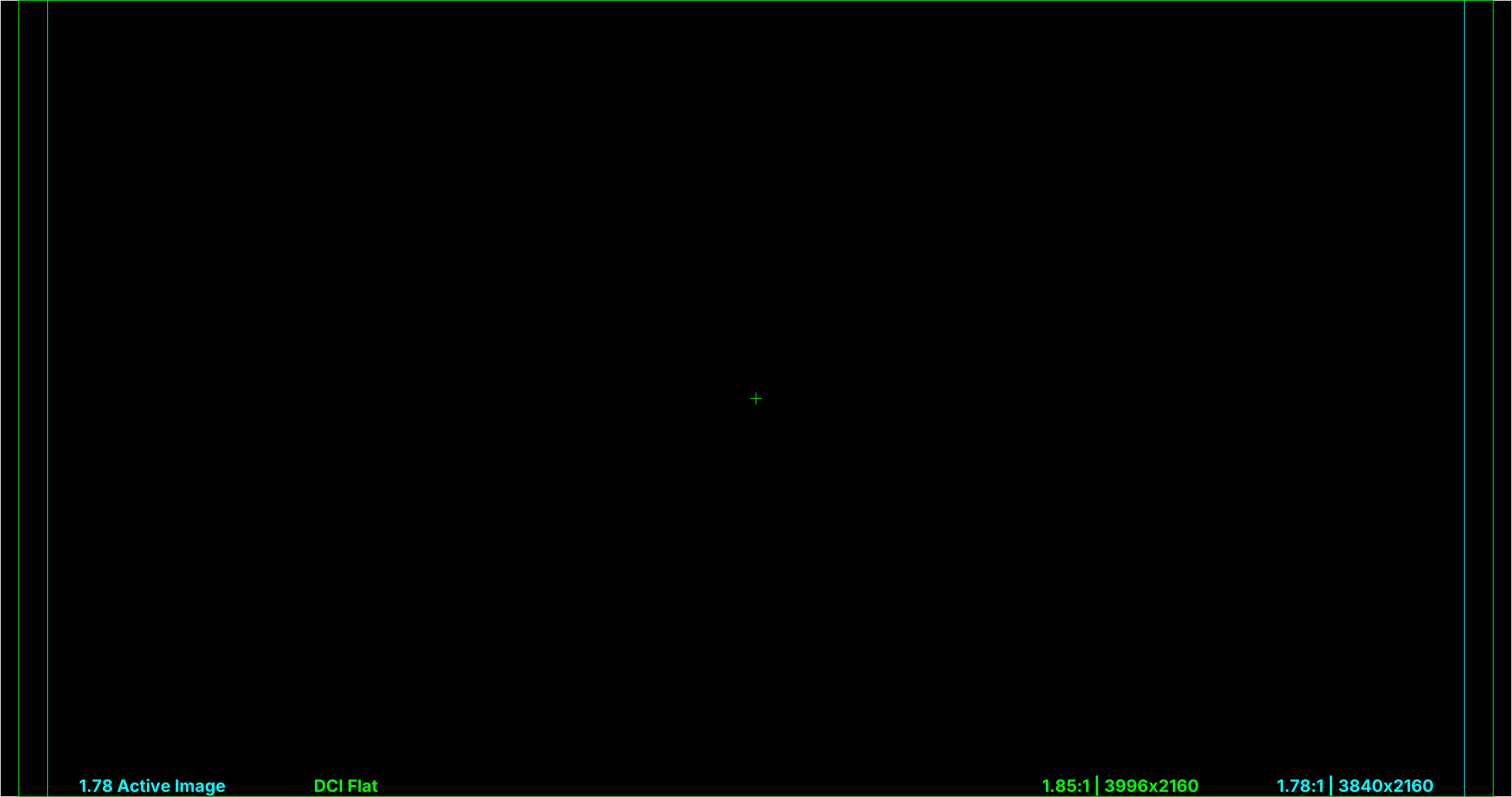
The DCI 2K rasters are 2048x1080 (Full), 1998x1080 (Flat), and 2048x858 (Scope). The 4K equivalents are 4096x2160 (Full), 3996x2160 (Flat), and 4096x1716 (Scope).
Most films are delivered in DCI Scope or Flat. Premium large-format systems may use the Full container or a private raster. IMAX is not a single format. IMAX GT projection runs at 1.43:1, taller than anything in the DCI container set, and is a separate deliverable rather than a crop of the DCP.
Non-Standard Theatrical Aspect Ratios
Streaming platforms can accommodate many aspect ratios, subject to the distributor's container requirements. Digital cinema exhibition is less flexible. Many auditoriums have a screen sized for either Flat or Scope and projector macros for those two formats. Each macro sets image size, position, lens zoom, and masking.
One composition, two theatrical framings
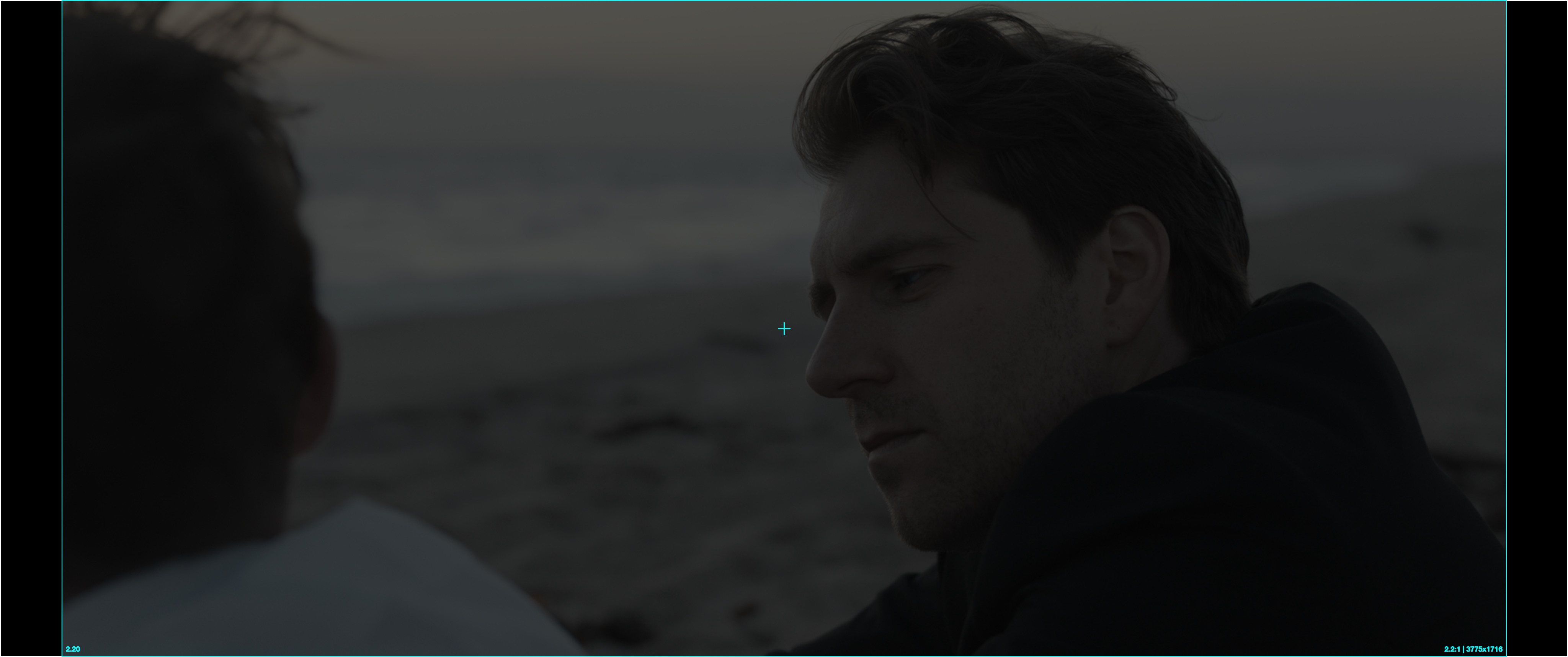
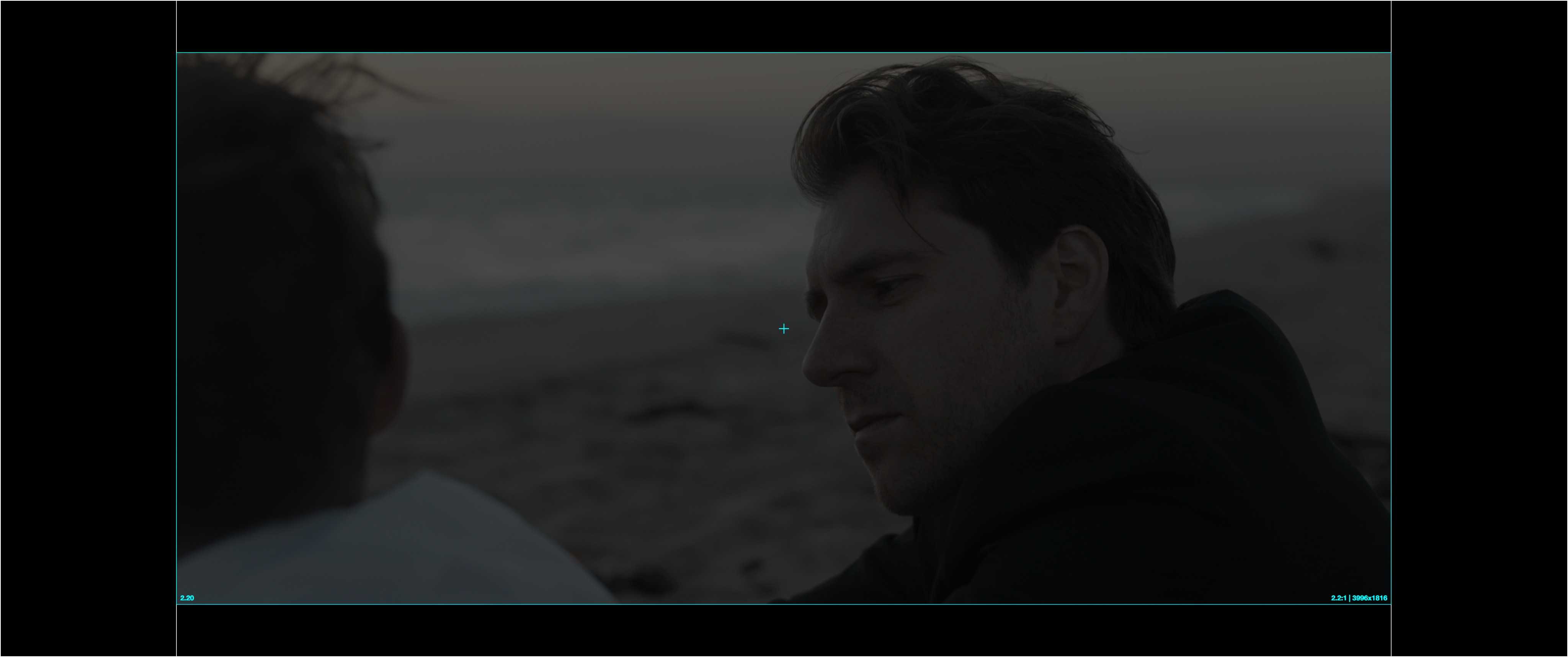
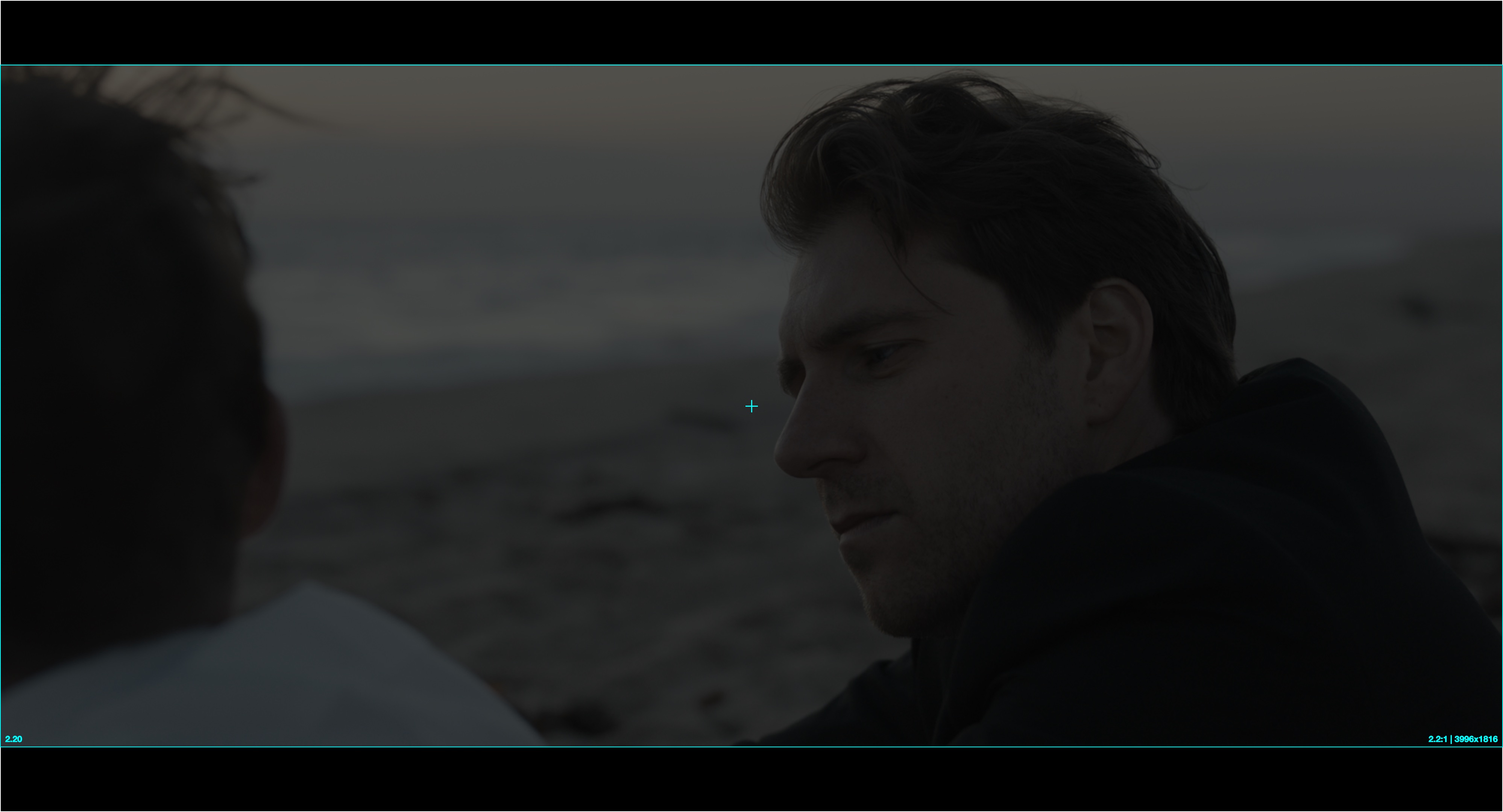
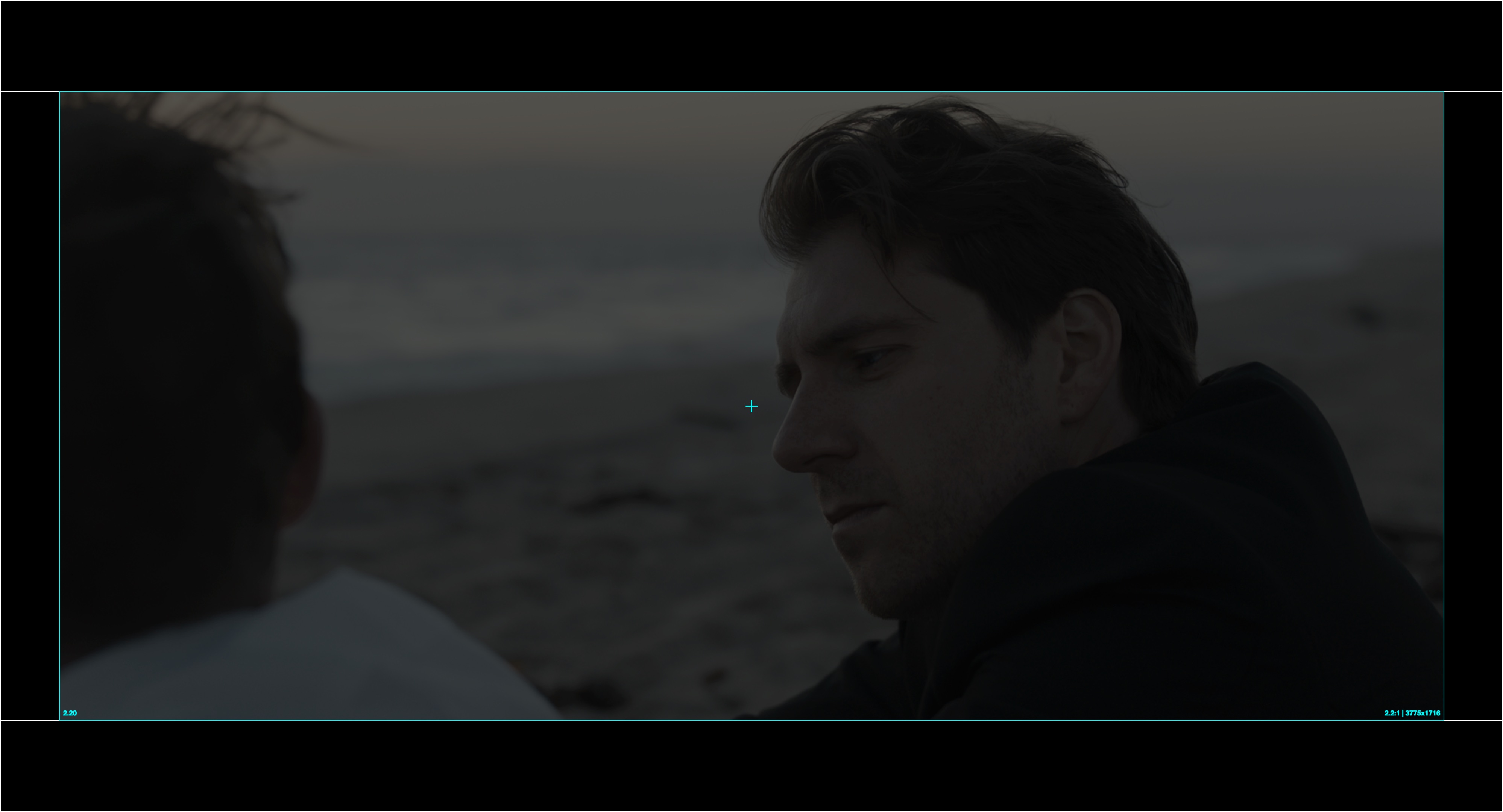
Harbor Light finished at 2.20:1. The first DCP centered that image inside the 2.39 Scope container, adding narrow pillarboxes. It filled the height of a Scope-native screen as intended. At a Flat-native auditorium, the Scope macro reduced the complete container to fit the screen's width. The projector added letterboxing around an image that already contained pillarboxing, so black surrounded the picture on all four sides.
The DI made two DCP framings without changing the 2.20:1 composition. The Scope version used narrow pillarboxes. The Flat version used letterboxing. Each version used the standard macro for the auditorium and avoided the second set of black bars.
The cyan outline in each image marks the 2.20:1 active picture. The white outline marks the DCP container after the auditorium applies its projector macro. A matched framing places the container at the screen boundary. An unmatched framing adds a second set of black bars.
Options with One DCP
Two DCP framings preserve the 2.20:1 composition across standard Flat and Scope projector macros. A production can instead choose one of these compromises:
- Reframe the film to 2.39:1. Cropping a 2.20:1 composition vertically produces a standard Scope image, but it changes the framing. The director and cinematographer must approve the new composition. Review every shot for reduced headroom and chin room.
- Open the frame horizontally to 2.39:1. This may be possible when the 2.20:1 image is an extraction from a wider capture raster with protected image at the sides. It preserves the vertical composition instead of cropping it. Confirm that camera originals, VFX finals, titles, and graphics cover the wider frame. Check the newly revealed sides for crew, equipment, unfinished set edges, and incomplete VFX work.
- Use a tested custom projector macro. A venue can scale past the padding in a single Flat or Scope DCP and fit the 2.20:1 active image more appropriately to its screen. This depends on the venue programming and testing a macro for that exact framing. It is not a reliable default for general distribution.
- Accept the smaller image at some venues. Choose the DCP container that suits the primary exhibition and accept black on all four sides when that version plays on the other screen type.
Plan exhibition for a non-standard ratio
Decide whether to preserve the 2.20:1 composition, reframe to 2.39:1, or depend on a custom projector macro. Ask each venue about its screen and available macros. If the venues are unknown or include both screen types, two DCP framings remain the most reliable way to preserve the composition. Label and playback-QC each version so the projectionist can select the correct one.
Scope
Scope is variously called 2.35:1, 2.39:1, or 2.40:1. Those names do not mean the same thing.
Each of these was, at one point, the standardized projectable image area: the region of the release print that actually reaches the screen. The negative and the resulting contact print usually hold a little more picture than the audience ever sees. Unofficial “open gate” scans on YouTube can expose that normally hidden area. The standards specify the projectable image area, not the dimensions of the aperture plate that produces it.
The 1957 and 1971 documents were American Standards prepared and published through SMPTE. SMPTE ST 195-2000 is the later SMPTE standard:2
| Standard | Projectable image area | Unsqueezed ratio = (width × 2) / height |
|---|---|---|
| PH22.106-1957 | 0.839 × 0.715 in | (0.839 × 2) / 0.715 = 2.347 (≈ 2.35:1) |
| PH22.106-1971 | 0.838 × 0.700 in | (0.838 × 2) / 0.700 = 2.394 (≈ 2.39:1) |
| SMPTE ST 195-2000 | 0.825 × 0.690 in (style B max) | (0.825 × 2) / 0.690 = 2.391 (≈ 2.39:1) |
The 1971 revision left the width essentially unchanged and trimmed the height by about 2%. The reason was mechanical, not aesthetic: four-perf anamorphic uses almost the full height between frames, leaving little frameline in which to make splices, so a splice passing the projector gate could flash as a bright band near the top or bottom of the screen. The shorter aperture formalized the projectionists' practice of masking that area: a thicker hidden frameline at the cost of a sliver of picture height. That is the real origin of "2.39," and why "the industry decided 2.39 looked better than 2.35" is misleading.
The 1993 revision, carried into ST 195-2000, set a common 0.825-inch projected width for Flat and Scope while keeping Scope at 2.39. The standard gives Flat height as a range from 0.446 to 0.500 inches, so 0.825 × 0.446 is the tightest case rather than the only permitted aperture.
2.39:1 is the correct name for the standardized theatrical Scope format. “2.40:1” is a convenient rounding that spread through framing charts, telecine, and home-video paperwork. It does not name a separate film format. Digital cinema preserves the same shape. DCI 2K and 4K Scope (2048x858 and 4096x1716) compute to 2.387 and are called 2.39 Scope. A raster such as 1920x800 is exactly 2.40 and describes a different digital image shape.
And "2.35"? The name stuck as a cultural synonym for Scope and survived the 1971 change. When someone says "we're framing at 2.35" today, they may mean a literal 2.350 (slightly taller than modern Scope) or simply “Scope” but more likely intending 2.39. For restoration and precise delivery the distinction matters: a literal 2.35 extraction is about 1.9% taller than 2.39 (roughly 0.95% more picture top and bottom on a constant-width image). A pre-1971 title was projected around 2.35. A post-1971 anamorphic release was projected around 2.39.
Digital cinema has one Scope container at approximately 2.39:1. A literal 2.35 or 2.40 image must be letterboxed or pillarboxed inside it. Use a standard theatrical ratio unless the creative difference is intentional and documented.
Streaming services support many aspect ratios, but the source master and the member-facing encode are not always the same raster. Netflix typically receives a 3840x2160 IMF with the approved active image letterboxed or pillarboxed when required. Its downstream encode is based on the largest active picture area in the program. A title with one constant wide ratio may therefore be encoded without the master container's black bars, while mixed aspect ratios can require a full 1.78 encode with letterboxing and pillarboxing. Confirm the master raster, active-image metadata, and approved ratio with the distributor. Do not infer the final streaming bitstream from the IMF container alone.3
Flat
The original “widescreen” format, 1.85:1, was often opened up to 1.78:1 for broadcast and DVD because distributors disliked the thin letterbox. Filmmakers held the width and exposed more picture above and below the frame lines. When the source could not support that extraction, they held the height and cropped the sides.
That is no longer standard practice. Major platforms accept the approved original aspect ratio rather than requiring an opened-up 1.78 version. Confirm the deliverable ratio with the distributor before deciding whether VFX renders must protect above and below the frame lines. Protecting for an open-gate extraction may be costly and could present potential savings if omitted.7
16x9 Widescreen
16:9, or 1.78:1, is not a standard DCI container. Most servers can play it, but many auditoriums have only Flat and Scope macros for lens zoom, scaling, and masking. For broad theatrical compatibility, place a 1.78 image inside the Flat container with narrow pillarboxes. Confirm the venue configuration before authoring.
Framing Charts
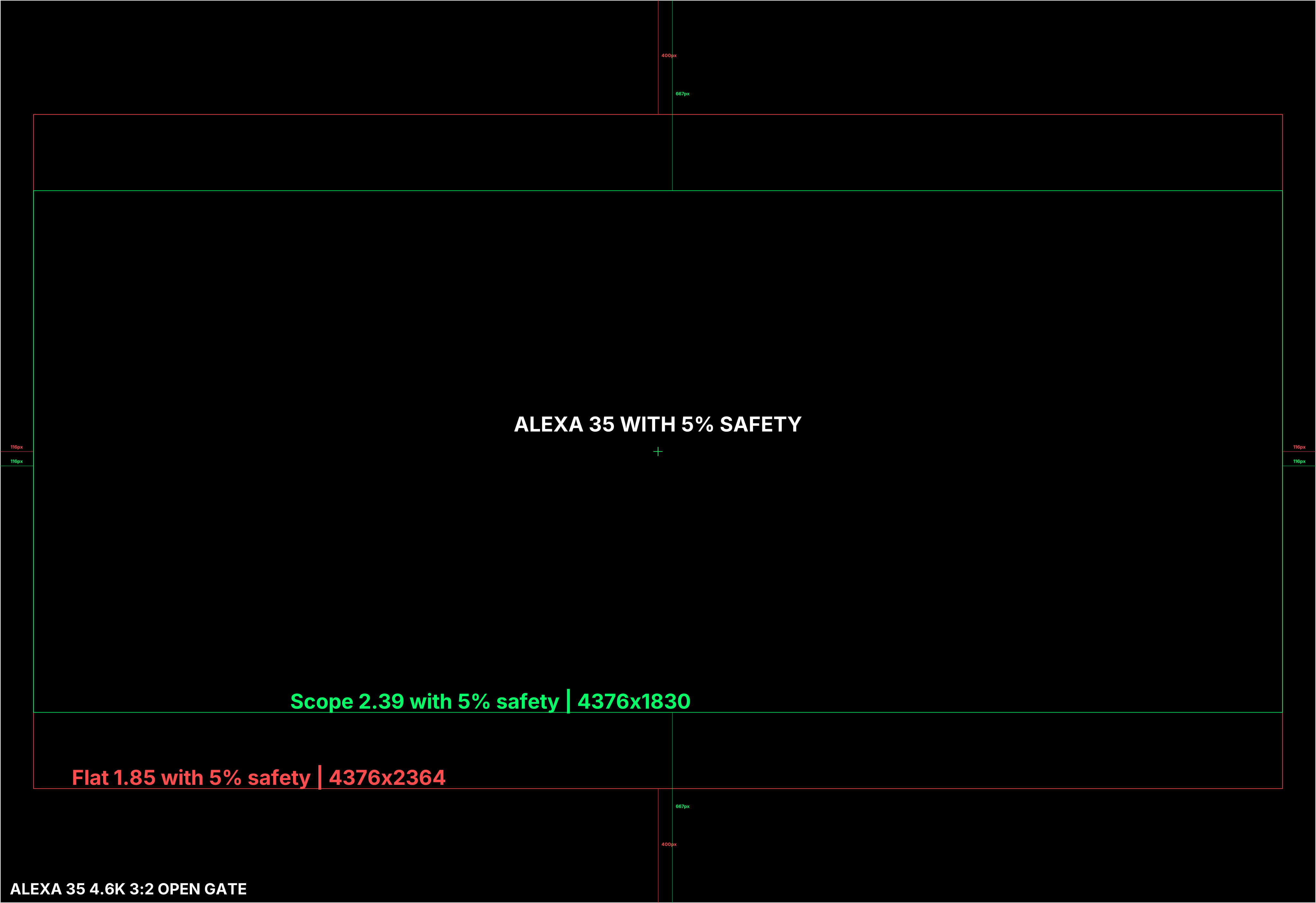
An aspect-ratio label alone does not define scaling, crop, or image position.
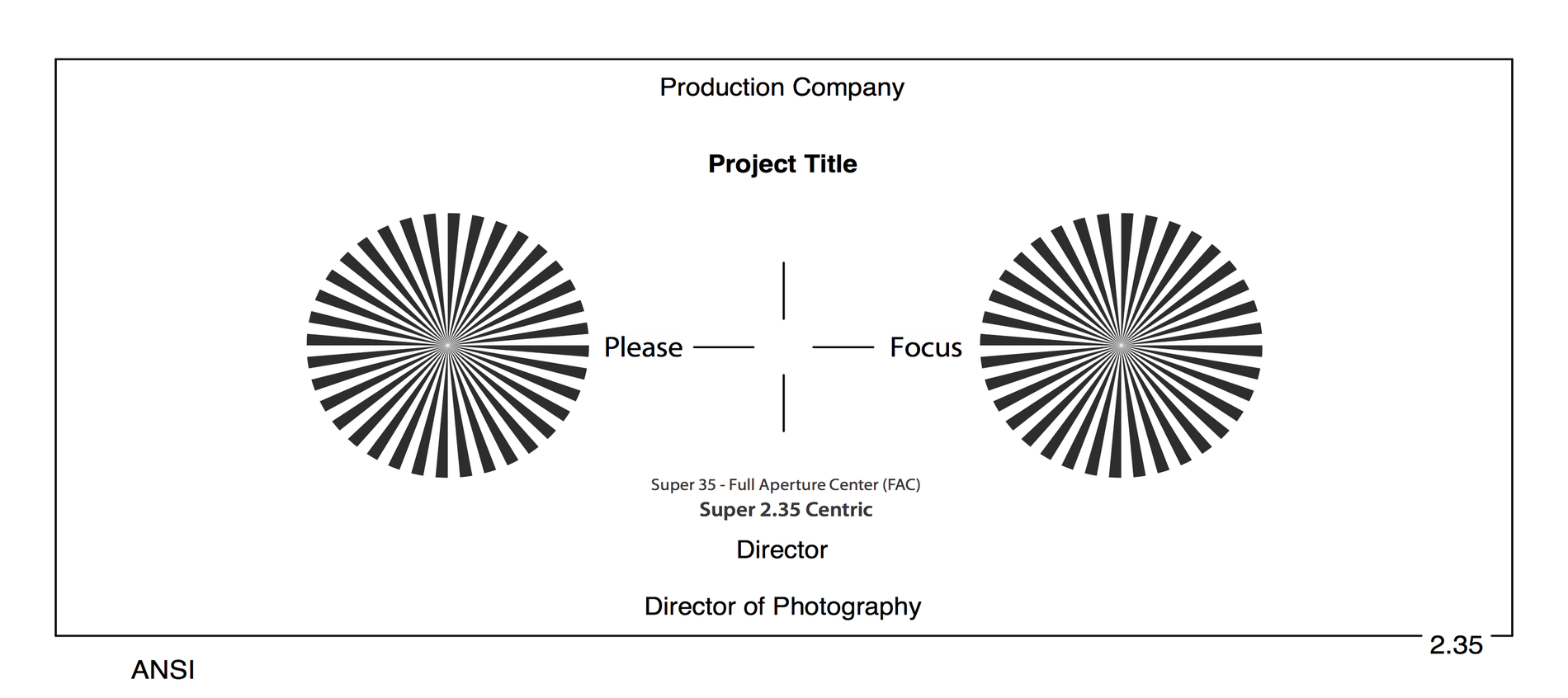
At a large DI facility, the imaging science department typically creates the pixel-accurate reticle. On an independent production, the colorist and DIT may create it together. Make the framing plan before photography. If no colorist is attached, the cinematographer and DIT must define and test the reticle before the shoot.
Distribute a pixel-accurate framing chart
Have the DI's imaging science department, or the colorist and DIT, create the reticle. Label it with the shooting format, raster, and intended extraction. Put it at the head of each reel or distribute it as a sidecar to editorial, VFX, the DI, and exhibition.
During camera prep, photograph the physical framing chart with every production camera. Load the approved pixel reticle into on-set monitoring and carry the same geometry through dailies, editorial, VFX, and the DI.
Frame Padding
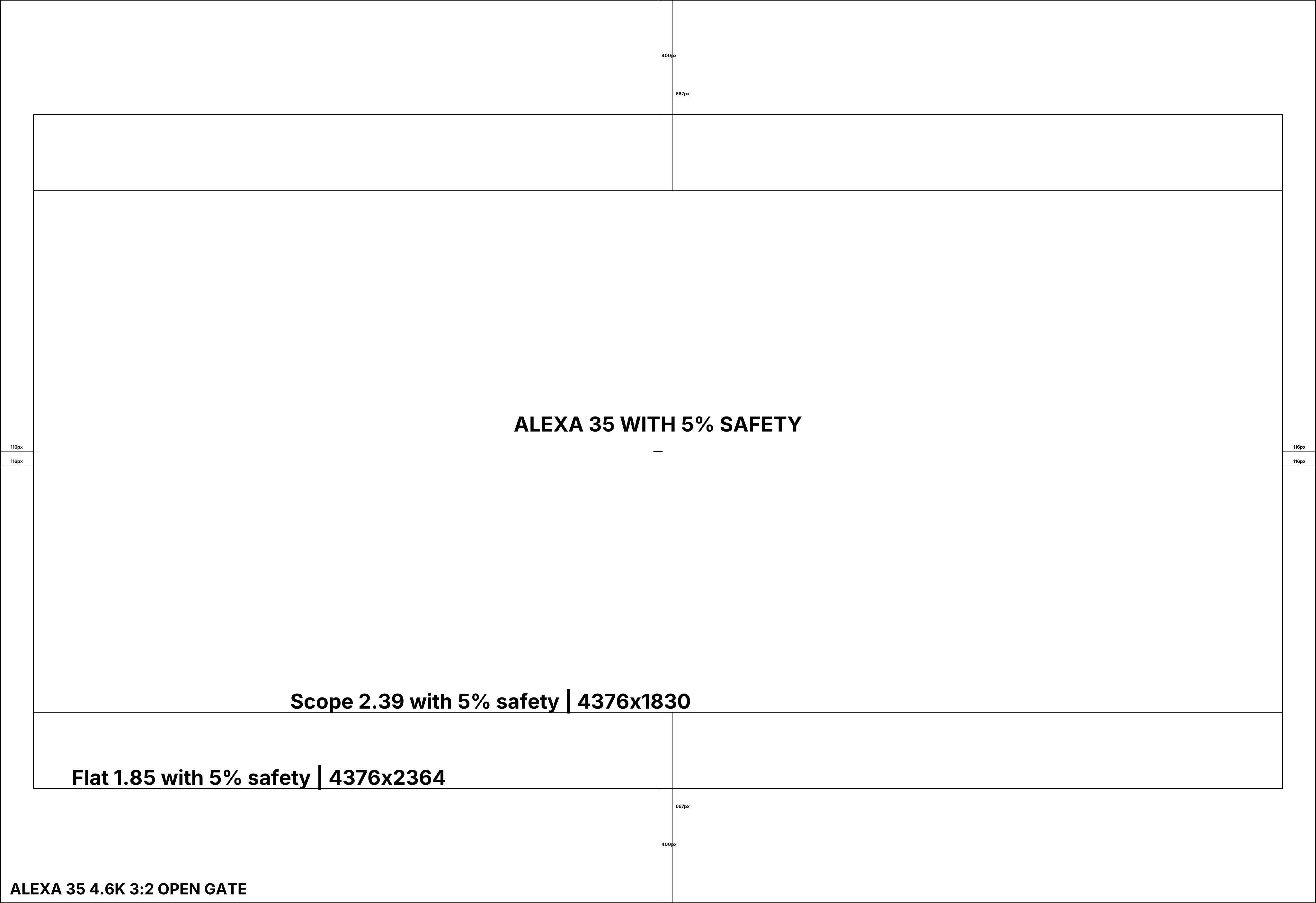
Productions may record outside the intended frame lines to preserve pixels for stabilization, reframing, and VFX. Before photography, have the cinematographer, VFX supervisor, and post-production supervisor define the protected area, extraction, and delivery raster.
Protect the padded image area
The cinematographer and camera team keep the padded region clear of production equipment, crew, and other unwanted elements. Record enough extra image to stabilize or reframe without materially changing composition.
Film acquisition uses a similar pad between the ground-glass frame lines and the gate.
When the camera raster is close to the 4K delivery raster, productions often frame nearly the full sensor height to avoid upscaling. Protect extra framing area only when the acquisition raster provides enough resolution.
Projection Framing Charts
A digital projection framing chart serves a different purpose from a camera reticle. The projectionist uses the colored borders to check image position, scaling, masking, and keystone. The corner targets and center circle reveal focus and geometry errors. The color patches and grayscale steps expose gross playback or display problems before the feature begins.
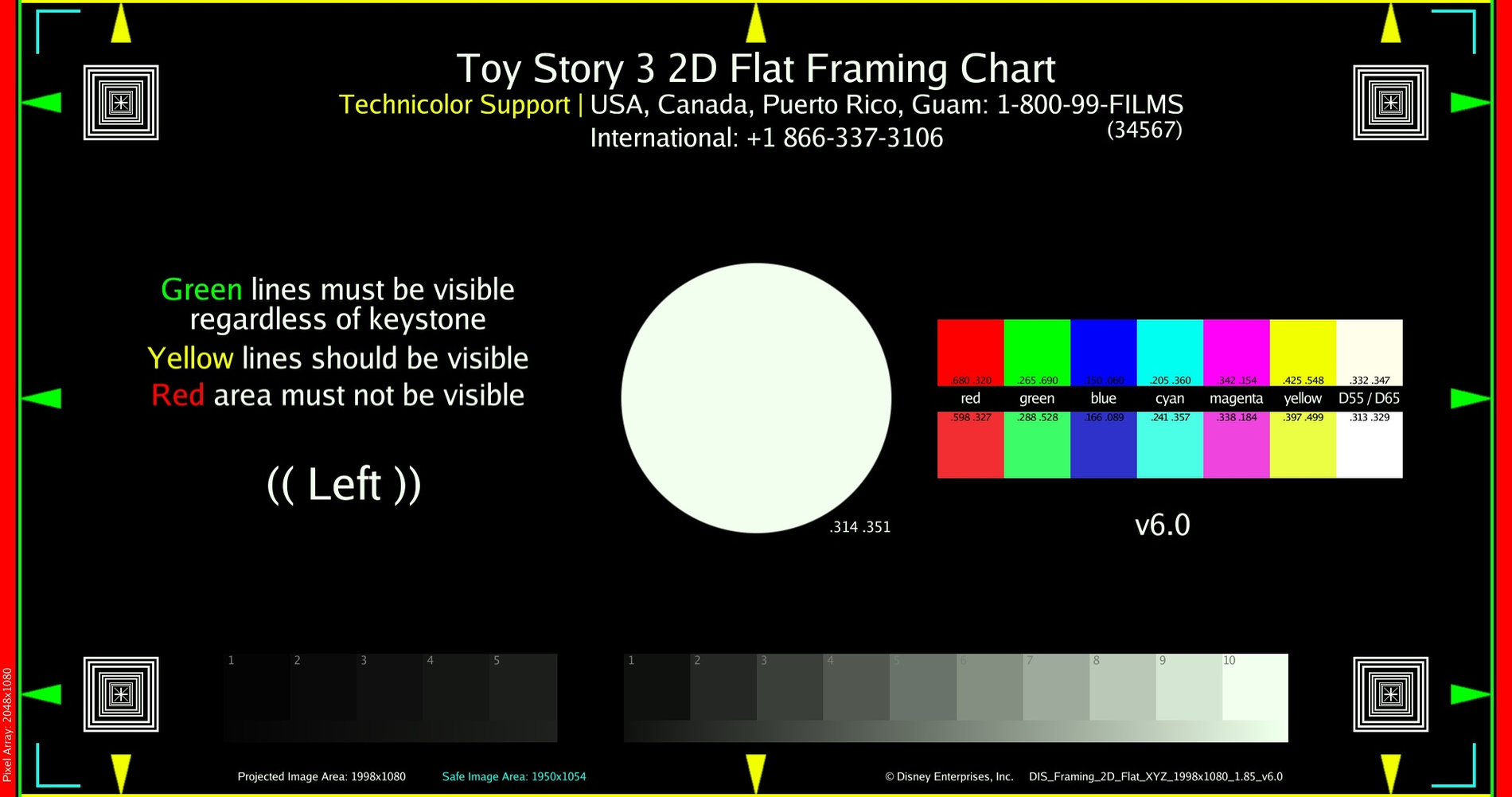
Image Processing Workflows
Framing errors often come from an undocumented crop, de-squeeze, resize, or pixel-aspect-ratio change between departments. Record the operation at each handoff so every team constructs the same image.
Document every framing and scaling operation
The post-production supervisor records the raster, pixel aspect ratio, extraction, and scaling operation at every stage. Use the production's actual values instead of copying a camera-specific example.
For an anamorphic workflow:
- Record the camera raster, squeeze factor, protected area, and intended extraction.
- Render primary dailies with the intended image de-squeezed and correctly framed.
- Provide a full-aperture reference when editorial or VFX needs the protected area.
- Decide with VFX and the DI whether plates remain squeezed or are de-squeezed during the pull.
- Use matching transforms for camera originals and VFX finals in the DI.
- Render each deliverable from the approved framing and scaling specification.
Anamorphic Workflows
Anamorphic lenses require a de-squeeze factor to restore the intended image geometry. Common factors include 2.0x, 1.5x, and 1.3x.8
Leaving plates squeezed preserves the camera raster and avoids an early resampling step. It can also keep plate dimensions aligned with the camera originals. The VFX software and review path must apply the correct de-squeeze for viewing, tracking, paint, and compositing. Missing or inconsistent de-squeeze metadata can produce distorted geometry or mismatched finals.
De-squeezing during the plate pull gives artists normal image geometry and can simplify review. It also creates a wider raster or requires a resize and crop. That adds storage, processing, and a resampling step. The DI must know whether the final is returned de-squeezed or squeezed so it does not apply the operation twice.9
Before VFX pulls, decide where de-squeeze occurs. Make the decision with the VFX supervisor, vendor, colorist, and DI. Apply it during the pull, in the VFX final render, or in the DI, but use one tested method throughout the show.
-
Society of Motion Picture and Television Engineers, SMPTE RP 199, table 2. Walt Disney Studios, “Aspect Ratio Line Chart”, HD and UHD container tables. ↩
-
Society of Motion Picture and Television Engineers, PH22.106: 1957, PH22.106: 1971, and SMPTE ST 195. ↩
-
Netflix, “Working Resolution”, “Working Resolution Glossary,” and “Best Practices: Archival Aspect Ratio Workflow”, “Best Practices for Delivery with Multiple Aspect Ratios.” ↩
-
Netflix, “Cameras & Image Capture: Requirements and Best Practices”, “Resolution Requirements” and “Approved Cameras.” ↩
-
ARRI, “ALEXA 35 Xtreme” and Formats and Resolutions Overview (archived PDF). Sony, “VENICE 2 Digital Cinema Camera”. RED Digital Cinema, “V-RAPTOR XL [X] 8K VV Technical Specifications”. Canon, “EOS C400”. Blackmagic Design, “Blackmagic URSA Cine”. ↩
-
NHK, “4K・8K放送の再放送を検討中のケーブルテレビ事業者の皆様へ”. Netflix, “How to Get the Best Video Quality”. Disney+, “Video Quality on Disney+”. The streaming statement is an inference from the services' current published playback specifications. ↩
-
Netflix, “Best Practices: Archival Aspect Ratio Workflow”, introduction. Amazon Prime Video, “Video Requirements”, “Display aspect ratio.” Walt Disney Studios, “Proxy-C”, “Video Technical Requirements.” ↩
-
ARRI, ALEXA LF & Anamorphic Lenses, pp. 6, 15, and app. A. ↩
-
Netflix, “Working Resolution”, “What about Working Resolution for Anamorphic Capture?” ↩